Struggling to find the right prompts for stunning AI portraits? Or looking for that "magic spell" to make your avatar stand out?
Welcome to the Ultimate Nano Banana Portrait Prompts Guide. Here, we skip the fluff and provide you with field-tested, high-quality prompt templates. Whether you're aiming for hyper-realistic commercial photography or imaginative artistic creations, this guide will take you from beginner to pro, helping you master the Nano Banana Pro model.
1. Core Prompt Templates (Copy & Paste)
Get started instantly with these ready-to-use templates. Just tweak the description to match your vision.
1.1 Realistic Portrait
Best for: Resumes, personal branding, professional headshots.
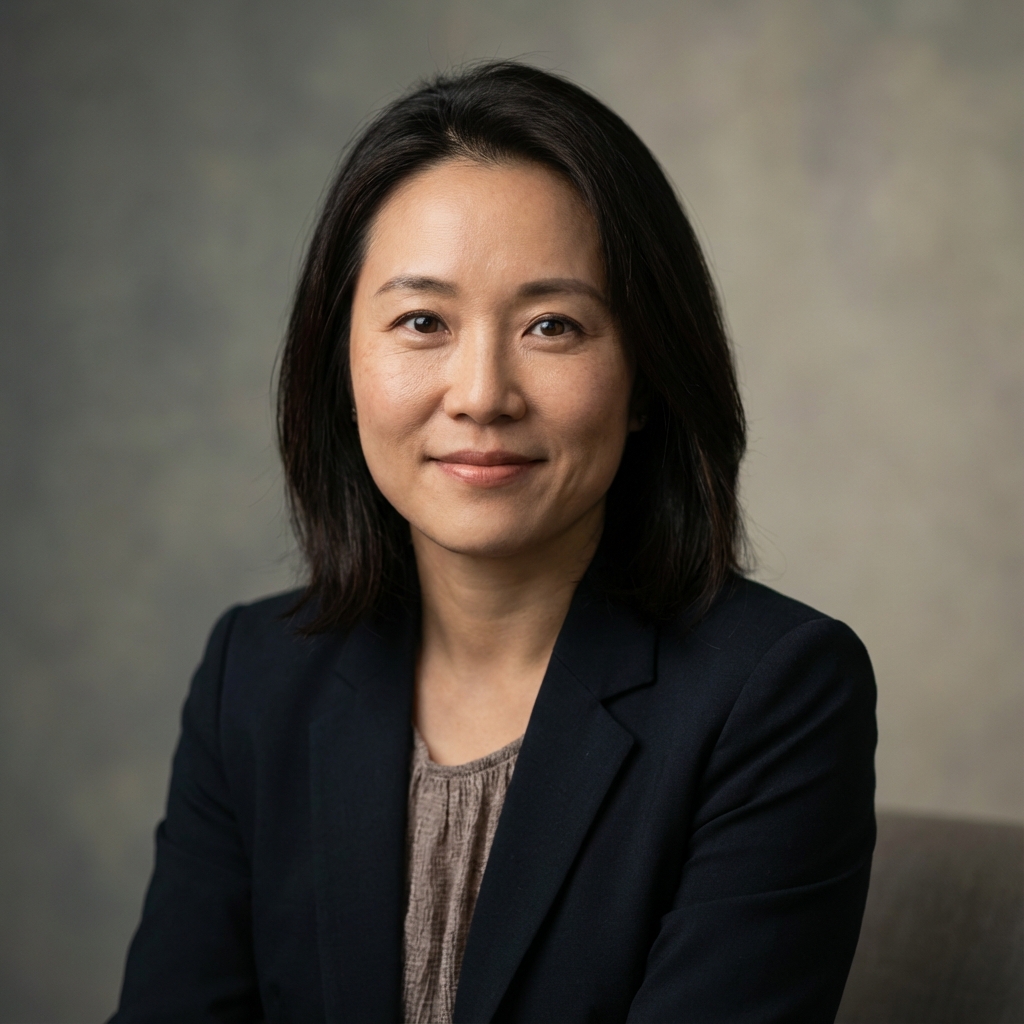
Optimize this photo into a professional studio portrait, medium shot, soft lighting and shallow depth of field, natural and detailed skin texture without over-smoothing, light gradient background, clean and high-end look, suitable for avatars and resume photos.Tip: Nano Banana excels at capturing micro-expressions and skin texture. Keep keywords like "natural skin texture" to avoid the "plastic face" look.
1.2 Cyberpunk Style
Best for: Unique avatars, trendy posters, gaming characters.
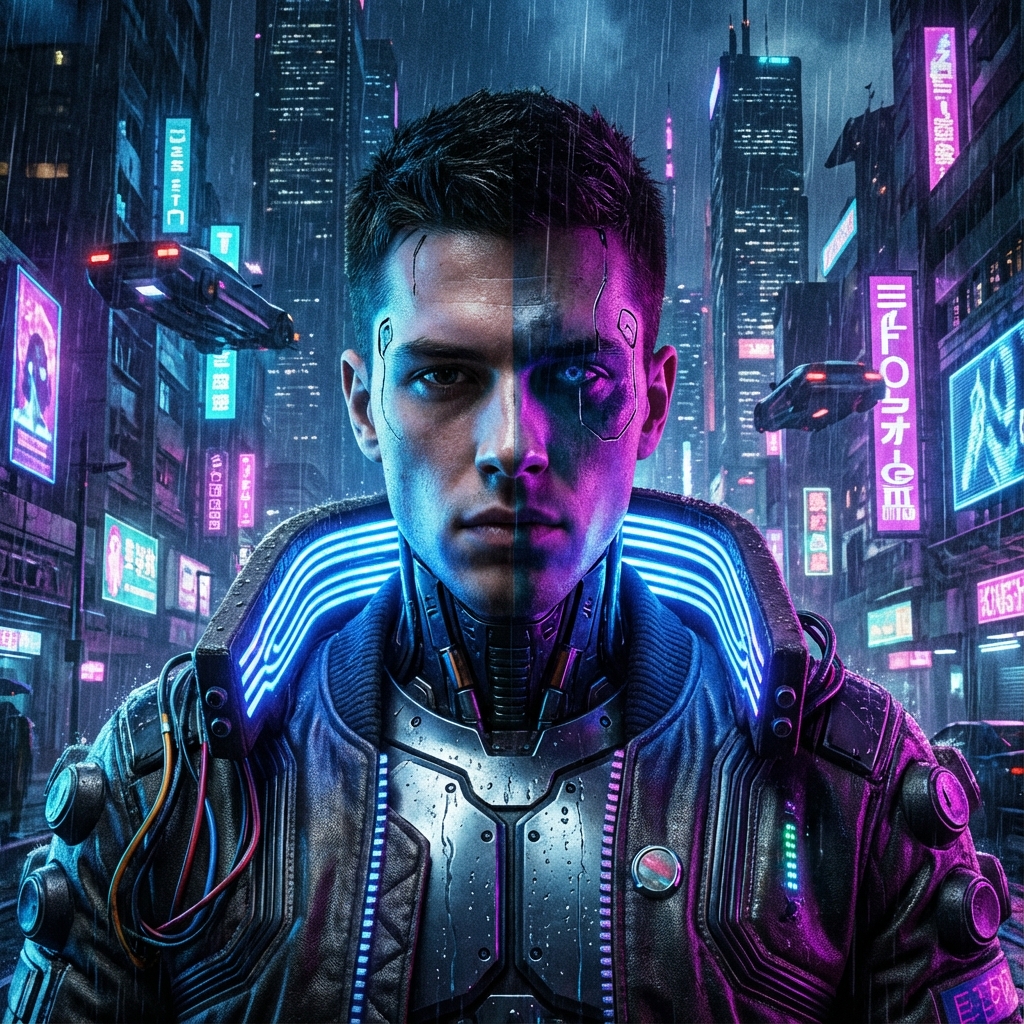
Generate a cyberpunk style portrait, retaining facial features and contours, adding neon lights, urban nightscape, and digital billboards, strong cool/warm contrast, subtle neon reflections on the face, overall futuristic sci-fi vibe.1.3 Anime / Chibi Style
Best for: Social media avatars, stickers, illustrations.
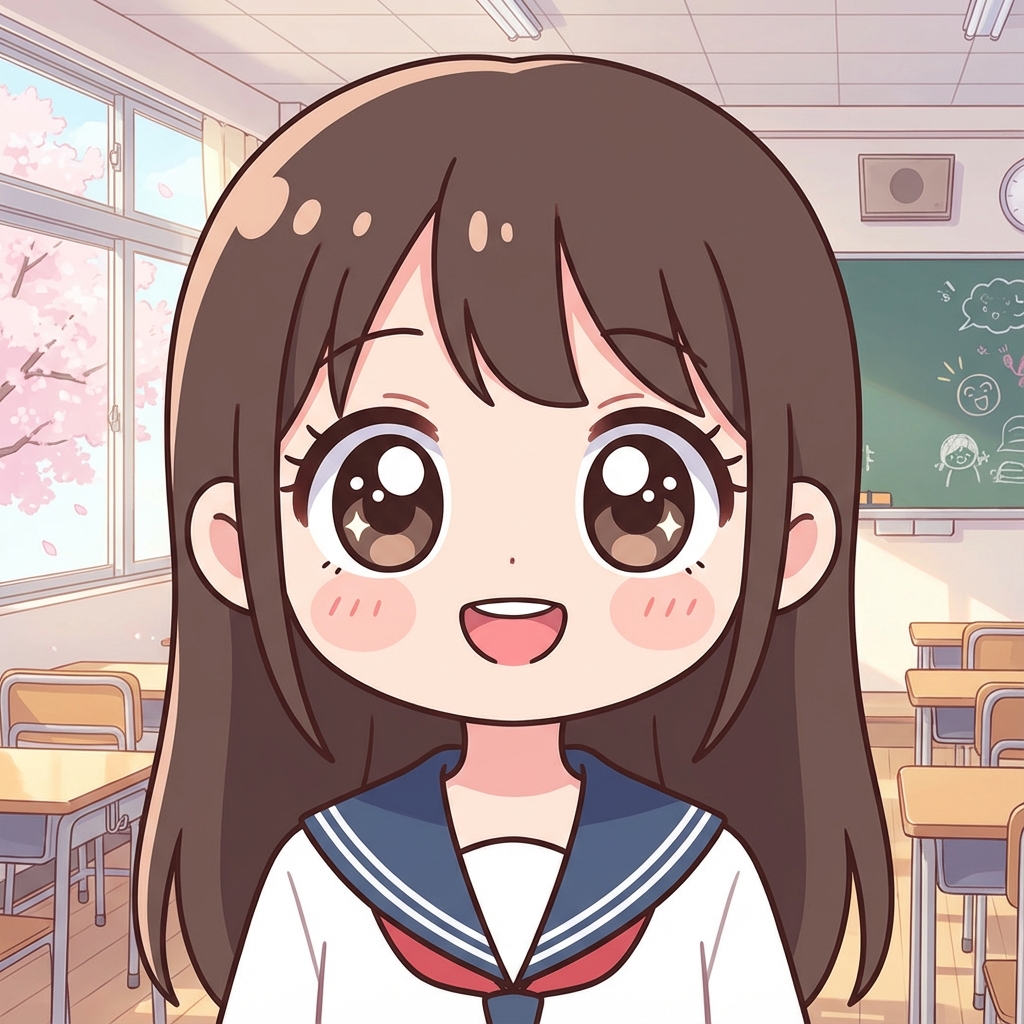
Convert the person in this photo into a Japanese anime style half-body character, retaining hair color and general facial features, larger eyes, simplified facial lines, bright and clean color palette, simple classroom or city street background.2. Prompt Structure Breakdown: How to Write Good Prompts?
To write effective Nano Banana portrait prompts, follow this formula:
[Base Instruction] + [Style] + [Visual Details] + [Lighting & Composition] + [Background]
- Base Instruction: What you want AI to do (e.g., "Generate a portrait", "Turn photo into anime").
- Style: The core vibe (e.g., "Realistic", "Oil Painting", "Cyberpunk", "Vintage Film").
- Visual Details: Character features (e.g., "Confident expression", "Business attire", "Chibi big head").
- Lighting & Composition: Key for quality (e.g., "Soft lighting", "Top light", "Backlight", "Close-up", "Medium shot").
- Background: Sets the atmosphere (e.g., "Blurred city background", "Solid color", "Neon night").
Example Analysis:
"Generate a (Base) high-angle black and white portrait close-up (Composition), 35mm lens style (Style Detail), only head and shoulders, pure black shadow background (Background), firm and confident expression (Character Detail)."
3. More Style Inspirations
Beyond the basics, try these styles where Nano Banana shines:
- Vintage Film: Keywords: "Grainy", "Yellowish tone", "70s-80s vibe", "Natural and relaxed".
- Oil Painting: Keywords: "Thick brushstrokes", "Warm lighting", "Classical studio", "Museum quality".
- Watercolor: Keywords: "Soft lines", "Transparent color blocks", "Fresh and artsy", "Water stains".
- Cinematic Still: Keywords: "High contrast B&W", "Deep shadows", "Old movie vibe", "Storytelling".
- Grid/Expressions: Try generating a grid of different expressions (laughing, surprised, pensive) or scenes (office, home, travel).
4. FAQ & Optimization Tips
Q: Why does the face look distorted? A: Usually due to conflicting keywords or overly complex descriptions. Simplify your prompt or use the "Negative Prompt" feature in Nano Banana Pro (e.g., "deformed face, bad anatomy").
Q: How to keep the face consistent? A: Emphasize "retain facial features" or "keep identity". Nano Banana's image-to-image mode is powerful at preserving original features.
Q: What about commercial use? A: Check the specific terms of service. Generally, original content generated by Nano Banana can be used commercially, but always review the Terms of Service.
5. Selected Nano Banana Prompts
Check out these top picks from our community, available in our Prompt Library:
- Cinematic Urban Portrait: Confident, modern personal branding. View Details
- Hyper-realistic Instagram Frame: Creative "breaking the frame" effect. View Details
- Black & White Editorial: Classic, high-end magazine style. View Details
6. How to Test Your Prompts
We've made it easy to test prompts:
- Visit the Prompt Library.
- Browse or search for a style (e.g., "Portrait", "Cyberpunk").
- Click the "Try" button on any card.
- You'll be redirected to the AI generator with the prompt pre-filled. Just upload a reference photo (if needed) or click Generate!
6.1 Recommended portrait prompts from the library
If you want a quicker starting point, these prompt pages are worth opening next:
These are useful because they already map closely to realistic, editorial, and professional portrait needs.
7. Share Your Creativity: How to Submit Prompts
Created a masterpiece? Share it with the community!
- Click "Submit Your Prompt" at the top of the Prompt Library page.
- Fill in your Prompt & Negative Prompt.
- Upload your example image.
- Submit for review. Once approved, your work will be showcased globally, and you could earn Nano Banana Pro credits!
8. What to do after reading this guide
If this guide helped you narrow the style you want, the fastest next step is:
- Open the Prompt Library.
- Compare a few portrait-oriented prompts.
- Send your favorite one into the AI Image Generator.
- Keep the prompt structure, but swap the background, lighting, and mood to fit your use case.
You can also keep exploring with:
Conclusion
With these tips, you're ready to unlock the full potential of Nano Banana.
Ready for the next level?
🚀 Try Nano Banana Pro Now —— Unlock advanced styles, higher resolution, and priority support. Let your creativity flow without limits!